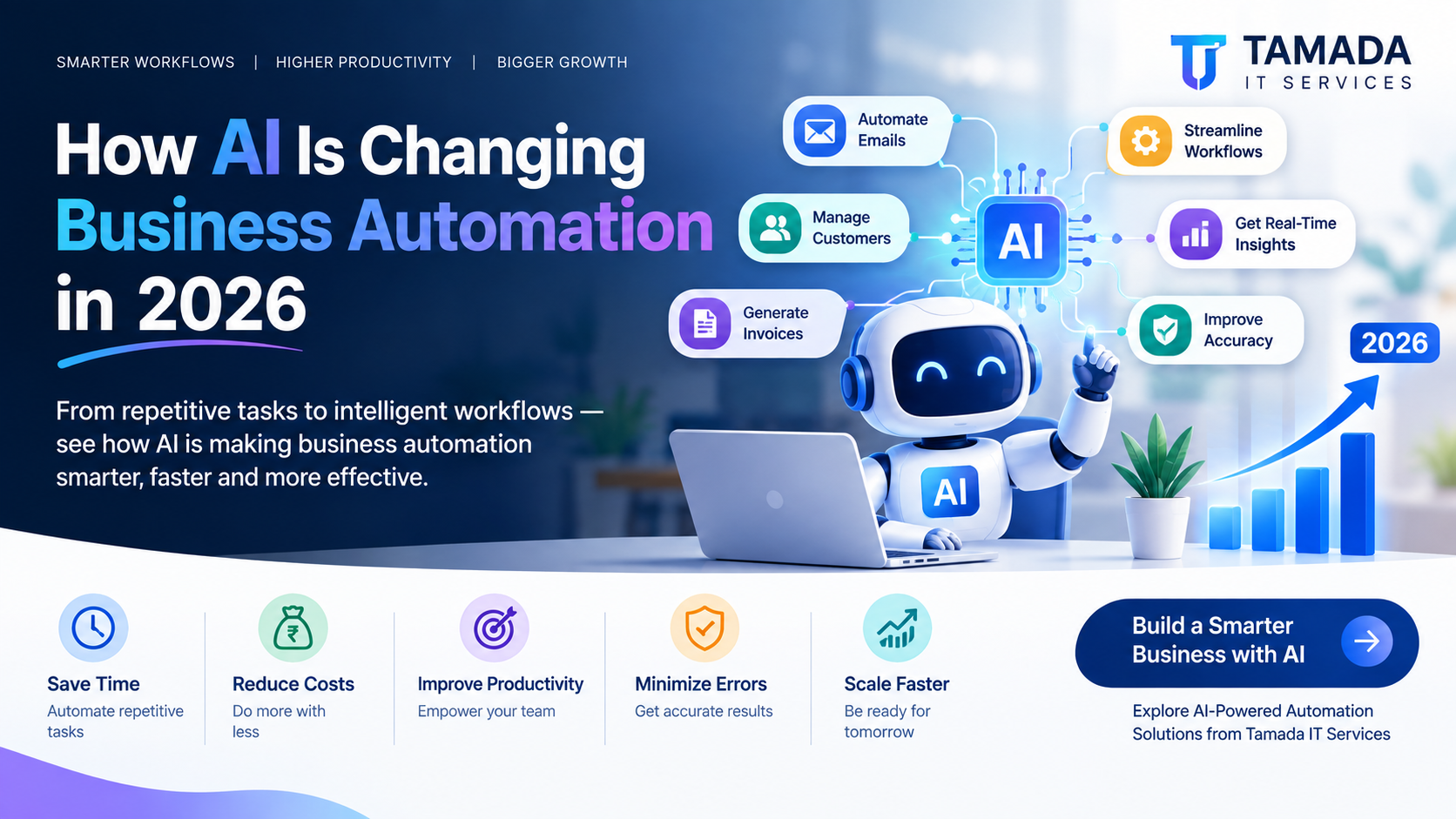
If you're a small business owner, startup founder, operations manager, or growing company, you probably spend a significant amount of time dealing with repetitive work.
Emails need to be answered. Customer inquiries need responses. Invoices need to be created. Leads need to be followed up. Reports need to be prepared. Data needs to be entered into different systems.
For years, businesses have used automation to reduce this manual workload. But in 2026, AI business automation is taking automation to another level.
Traditional automation follows predefined rules: if this happens, do that.
AI-powered automation can understand information, identify patterns, make recommendations, process natural language, and handle more complex workflows.
The result is a new generation of business automation that is not only faster, but also more intelligent and adaptable.
What Is AI Business Automation?
AI business automation combines artificial intelligence with automated business workflows to complete tasks that traditionally required human involvement.
Instead of simply following fixed rules, AI can analyze information and determine what action should happen next.
For example, traditional automation might work like this:
New form submitted → Send confirmation email → Add customer to database
AI-powered automation can go further:
New inquiry received → Understand the customer's request → Identify the type of lead → Determine priority → Generate a personalized response → Assign it to the right team member → Schedule follow-up
This difference is important because businesses deal with information that isn't always structured or predictable.
AI makes automation more flexible.
Why AI Is Becoming Important for Business Automation in 2026
Businesses today need to operate faster while controlling costs.
At the same time, employees are often spending valuable working hours on repetitive administrative tasks instead of activities that require creativity, strategy, communication, and decision-making.
AI can help businesses address this problem.
1. Automating Repetitive Work
One of the biggest benefits of AI automation is reducing repetitive manual tasks.
Examples include:
-
Data entry
-
Email classification
-
Customer inquiries
-
Invoice processing
-
Appointment scheduling
-
Lead qualification
-
Document processing
-
Report generation
-
Follow-up reminders
-
Internal notifications
-
Customer support workflows
Instead of employees repeatedly performing the same process, automation can handle much of the workload.
This allows teams to focus on higher-value responsibilities.
2. AI Can Understand Unstructured Information
Traditional software works particularly well when information follows a predictable structure.
But real business information isn't always clean.
A customer might send an email with several questions. A supplier might send a PDF invoice. A customer support request might be written in completely different ways by different people.
AI can process natural language and other unstructured information to determine what it means.
For example:
Customer message:
"Hi, I purchased the product last week but haven't received it yet. Can you check the delivery status?"
An AI-powered system can identify:
-
Customer intent: Delivery inquiry
-
Topic: Order tracking
-
Priority: Normal
-
Required action: Check order status
-
Department: Customer support
The system can then trigger the appropriate workflow.
3. Faster Customer Support
Customer expectations have changed.
People increasingly expect quick responses, even outside traditional business hours.
AI-powered automation can help businesses provide faster support by handling common questions automatically.
An AI customer support system can:
-
Answer frequently asked questions
-
Search company knowledge bases
-
Identify customer problems
-
Collect required information
-
Create support tickets
-
Route complex requests to employees
-
Generate suggested responses
-
Follow up with customers
The goal isn't necessarily to replace human support.
Instead, AI can handle repetitive questions while employees focus on complicated customer issues.
4. Smarter Lead Management
Generating leads is only one part of sales.
Businesses also need to identify which leads are worth prioritizing.
AI can analyze information from forms, emails, websites, CRM systems, and previous interactions to help businesses classify leads.
For example, an AI-powered workflow could categorize leads as:
Lead Type Suggested Action High-value lead Notify sales team immediately Interested prospect Start personalized follow-up Low-intent inquiry Add to nurturing campaign Existing customer Route to account manager Spam or irrelevant inquiry Filter automaticallyThis can help sales teams spend more time on opportunities that matter.
5. Automated Content and Communication
Businesses communicate with customers through many channels.
AI can assist with creating and managing that communication.
For example, businesses can automate:
-
Email drafts
-
Customer follow-ups
-
Product descriptions
-
Internal summaries
-
Meeting summaries
-
Marketing messages
-
Support responses
-
Sales proposals
-
Notifications
A human can still review important communications before they are sent.
This creates a useful combination:
AI generates → Human reviews → Automation delivers
This approach can improve productivity while maintaining human oversight.
6. AI-Powered Document Processing
Many businesses still depend heavily on documents.
Invoices, purchase orders, applications, contracts, receipts, reports, and forms can consume hours of administrative work.
AI-powered document processing can extract useful information from these files.
For example, an invoice-processing workflow could:
-
Receive an invoice
-
Read the document
-
Extract vendor information
-
Identify invoice number
-
Extract line items
-
Calculate totals
-
Match the invoice with an order
-
Send it for approval
-
Store the information
-
Update the accounting system
This can significantly reduce manual data entry.
7. AI Makes Workflow Automation More Flexible
Traditional automation often depends on strict conditions.
For example:
If invoice amount is below ₹10,000 → approve automatically.
AI can introduce additional context.
It could potentially consider:
-
Vendor history
-
Previous invoices
-
Unusual pricing
-
Missing information
-
Duplicate invoices
-
Approval patterns
-
Risk indicators
Instead of relying entirely on one fixed rule, businesses can build workflows that use AI to analyze the situation.
This is one of the major differences between traditional automation and intelligent automation.
8. Personalized Customer Experiences
Automation doesn't have to feel generic.
AI can help businesses personalize interactions based on customer information and previous behavior.
For example:
A customer visits a website, asks about a specific service, downloads a document, and later sends an inquiry.
An AI-powered system can use this context to help create a more relevant response.
Instead of:
"Thank you for contacting us. How can we help?"
The system could assist with a response specifically related to the customer's previous interaction.
Personalization can make automated communication feel more useful and relevant.
9. AI Can Help Employees Make Better Decisions
Business automation isn't only about completing tasks.
AI can also help employees understand information.
For example, an automated reporting system could summarize:
-
Sales performance
-
Customer activity
-
Revenue trends
-
Outstanding invoices
-
Support tickets
-
Employee workloads
-
Marketing performance
Instead of reviewing dozens of rows in a spreadsheet, managers can receive a concise summary of important changes.
AI can help turn large amounts of business data into information that is easier to understand.
10. Reduced Operational Costs
One of the biggest reasons businesses invest in automation is efficiency.
When repetitive work is automated, employees can spend more time on tasks that directly contribute to business growth.
Automation can help reduce costs associated with:
-
Manual data entry
-
Administrative work
-
Repetitive customer support
-
Report preparation
-
Lead follow-up
-
Document processing
-
Operational delays
-
Human errors
However, businesses shouldn't view AI automation simply as a way to reduce headcount.
A better approach is to use AI to increase the output of existing teams.
Examples of AI Business AutomationAI automation can be applied across almost every department.
Sales
-
Lead qualification
-
Automated follow-ups
-
CRM updates
-
Sales email generation
-
Lead prioritization
-
Proposal assistance
Marketing
-
Content assistance
-
Customer segmentation
-
Campaign workflows
-
Social media scheduling
-
Email personalization
-
Performance summaries
Customer Support
-
AI chat assistants
-
Ticket classification
-
Automated replies
-
Customer sentiment analysis
-
Knowledge-base search
-
Ticket routing
Finance
-
Invoice processing
-
Expense categorization
-
Payment reminders
-
Financial summaries
-
Document extraction
Human Resources
-
Employee onboarding
-
Document collection
-
Interview scheduling
-
Internal HR assistants
-
Employee request routing
Operations
-
Workflow management
-
Task assignment
-
Document processing
-
Notifications
-
Approval workflows
-
Business reporting
The difference can be summarized simply.
Traditional Automation AI-Powered Automation Rule-based Context-aware Predictable inputs Can process varied inputs Fixed workflows More adaptive workflows Requires predefined conditions Can analyze information Best for repetitive structured tasks Useful for structured and unstructured tasks Limited decision support Can provide recommendations Basic automation Intelligent automationThis doesn't mean traditional automation is becoming obsolete.
In fact, the best business systems often combine both.
Rules handle predictable processes. AI handles tasks requiring interpretation.
How Businesses Can Start Using AI AutomationYou don't need to automate your entire company at once.
A better approach is to start with one process.
Step 1: Identify Repetitive Tasks
Look for tasks employees perform repeatedly.
Ask:
-
What takes the most time?
-
What tasks are performed every day?
-
Where does manual data entry happen?
-
Where do employees copy information between systems?
-
Which customer questions are repetitive?
-
Which processes frequently experience delays?
These are strong candidates for automation.
Step 2: Measure the Current Process
Before automating, understand the existing workflow.
For example:
Current process:
Customer inquiry → Employee reads email → Employee checks CRM → Employee writes response → Employee updates CRM → Employee schedules follow-up
You can then identify which parts can be automated.
Step 3: Choose the Right AI Solution
Not every problem requires sophisticated AI.
Sometimes a simple workflow automation is enough.
Other situations may benefit from:
-
AI assistants
-
Document intelligence
-
Natural language processing
-
AI-powered CRM workflows
-
Predictive analytics
-
Custom AI integrations
The solution should match the actual business problem.
Step 4: Connect Your Existing Systems
AI automation becomes more powerful when it can communicate with existing business systems.
Depending on the business, this could include:
-
CRM
-
Accounting software
-
Email
-
Website
-
Mobile applications
-
Databases
-
ERP systems
-
Payment platforms
-
Customer support platforms
-
Internal dashboards
Custom integrations can connect these systems into one automated workflow.
Step 5: Keep Humans in the Loop
AI should not necessarily make every decision independently.
For sensitive or high-value processes, businesses can require human approval.
For example:
AI analyzes → AI recommends → Employee approves → System executes
This approach can provide a balance between efficiency and control.
Common Mistakes Businesses Should AvoidAI automation can deliver significant benefits, but implementation needs to be planned carefully.
Automating a Bad Process
If a workflow is inefficient before automation, automating it may simply make the inefficient process faster.
First improve the workflow.
Then automate it.
Automating Everything at Once
Large automation projects can become complicated quickly.
Start with one high-value process and expand gradually.
Ignoring Data Quality
AI depends heavily on the information it receives.
Poor-quality, incomplete, duplicated, or outdated data can reduce the effectiveness of automation.
Removing Human Oversight
Important business decisions may still require human review.
Automation should support employees rather than blindly replace judgment.
Focusing Only on Technology
The objective isn't to use AI simply because it is popular.
The objective is to solve a real business problem.
A successful automation project should improve at least one important area:
time, cost, accuracy, customer experience, productivity, or scalability.
What Will AI-Powered Business Automation Look Like?The future of business automation is likely to become increasingly connected.
Instead of individual automated tasks, businesses can build complete intelligent workflows.
For example:
Customer submits inquiry
↓
AI understands the request
↓
Lead is classified
↓
CRM is updated
↓
Personalized response is generated
↓
Sales team is notified
↓
Follow-up is scheduled
↓
Customer activity is tracked
↓
Management receives performance insights
The business doesn't need employees to manually move information from one system to another.
The workflow does the coordination automatically.
Why Custom AI Automation Can Be ValuableOff-the-shelf automation tools can be useful, but every business has different processes.
A growing company may have unique workflows, databases, approval systems, customer journeys, and internal tools.
Custom AI automation can be designed around those requirements.
A custom solution can combine:
-
AI
-
APIs
-
Databases
-
Web applications
-
Mobile applications
-
CRM systems
-
Payment systems
-
Internal dashboards
-
Automated notifications
-
Business rules
This makes it possible to build an automation platform that fits the company's actual operations.
How Tamada IT Services Can HelpAt Tamada IT Services, we help businesses turn repetitive manual processes into smarter digital workflows.
From custom software and web applications to business automation and AI-powered solutions, our goal is to build technology around your business—not force your business to adapt to a generic system.
We can help with:
-
Business process automation
-
AI-powered workflows
-
Custom software development
-
Web application development
-
SaaS development
-
API integrations
-
CRM automation
-
Document processing
-
Admin dashboards
-
Automated notifications
-
Custom business tools
If your team is spending too much time on repetitive work, there may be an opportunity to automate it.
The best time to explore automation is before manual processes become a major barrier to growth.
Final ThoughtsAI is changing business automation in 2026 by making automated systems more intelligent, flexible, and capable of handling information that previously required human attention.
Businesses can use AI to automate repetitive work, process documents, improve customer support, qualify leads, personalize communication, analyze information, and connect different business systems.
But successful automation isn't about adding AI everywhere.
It's about identifying the right problems and building the right workflows.
Start small. Measure the results. Keep humans involved where necessary. Then expand.
For businesses willing to adopt it strategically, AI business automation can become a powerful competitive advantage—not just a technology upgrade.
Frequently Asked Questions
What is AI business automation?
AI business automation uses artificial intelligence together with automated workflows to complete tasks, analyze information, assist employees, and make business processes more efficient.
How can AI reduce business costs?
AI can reduce costs by minimizing repetitive manual work, reducing data-entry errors, speeding up workflows, improving employee productivity, and helping businesses handle larger workloads efficiently.
Is AI automation suitable for small businesses?
Yes. Small businesses can start with relatively simple processes such as lead management, customer support, appointment scheduling, document processing, email workflows, and reporting.
Can AI completely replace employees?
AI can automate many repetitive tasks, but businesses often get better results when AI works alongside employees. Human oversight remains important for complex, sensitive, or strategic decisions.
How much does AI automation cost?
The cost depends on the workflow, integrations, AI technology, custom development requirements, number of users, and complexity of the system. A simple automation can be relatively inexpensive, while a fully customized business platform can require a larger investment.
What business processes should be automated first?
Start with repetitive, time-consuming, rule-based processes that have clear inputs and outputs. Lead management, document processing, customer inquiries, reporting, notifications, and data synchronization are common starting points.