How many hours does your team spend every week doing tasks that a computer could handle automatically?
If your employees are manually entering customer information, sending follow-up emails, creating invoices, updating spreadsheets, checking payments, preparing reports, or moving data between different applications, you're probably spending more time and money than necessary.
For a small business owner, startup founder, operations manager, or growing company, repetitive tasks can quietly become a major operational cost.
One task may take only five minutes.
But when that task is repeated 20, 50, or 100 times every week, the total cost becomes significant.
This is where business process automation can make a real difference.
Automation allows software to perform repetitive, rule-based tasks automatically, allowing your employees to focus on customers, sales, strategy, creativity, and other activities that require human decision-making.
The good news is that you don't need to automate your entire business at once.
You can start with a few repetitive processes and expand gradually.
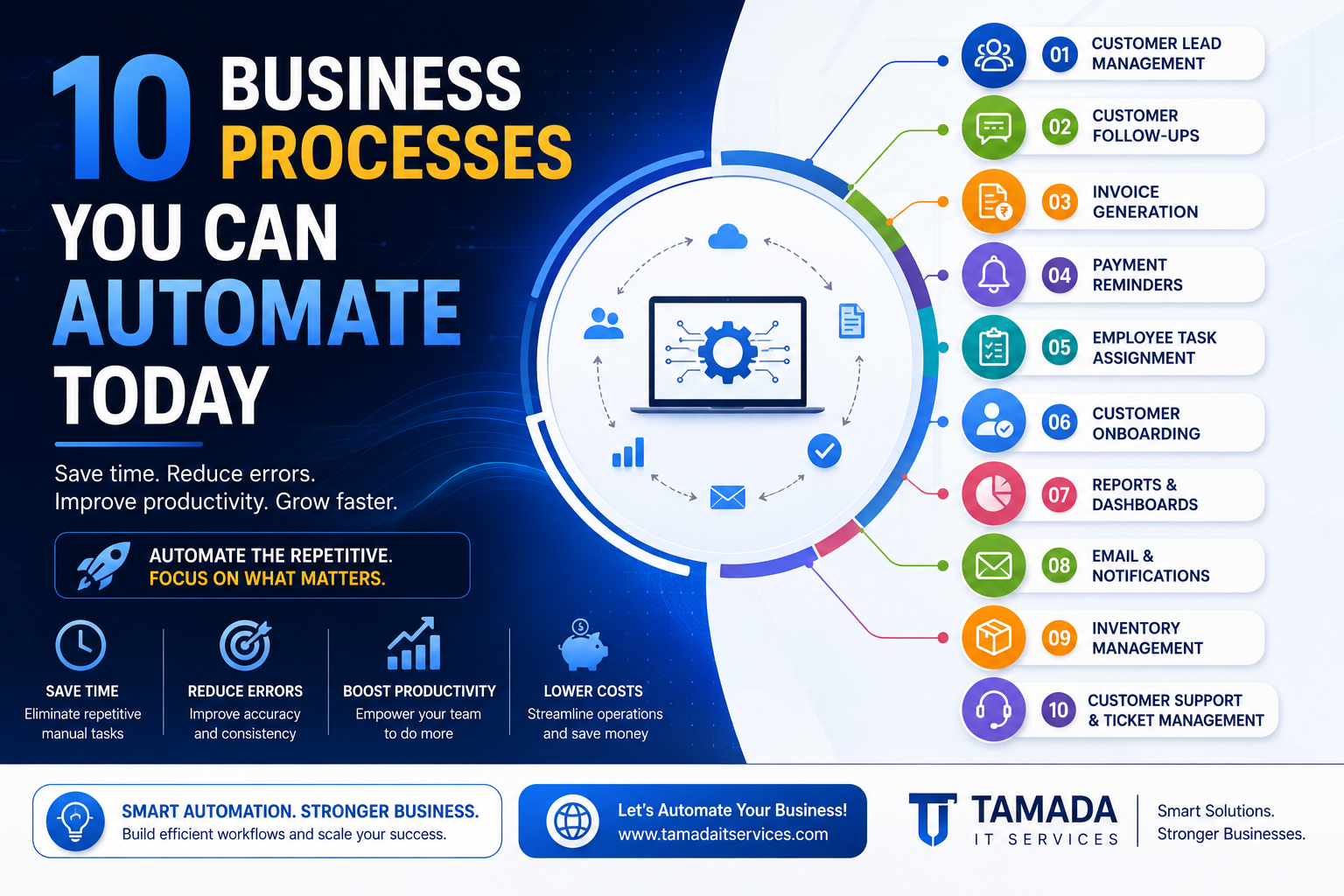
In this guide, we'll look at 10 business processes you can automate today, how automation works, and how it can help your business save time, reduce costs, and operate more efficiently.
What Is Business Process Automation?
Business process automation is the use of software and technology to perform repetitive business tasks with minimal manual intervention.
For example:
Customer submits enquiry → System records lead → Sales team receives notification → Follow-up reminder is created
Instead of an employee manually performing each step, the system handles the workflow automatically.
Business automation can involve:
-
Websites
-
Mobile apps
-
CRM systems
-
Accounting software
-
Email
-
WhatsApp
-
Payment gateways
-
APIs
-
Cloud applications
-
Custom software
-
Databases
-
Workflow automation platforms
The objective isn't to replace employees.
The objective is to remove unnecessary repetitive work so employees can spend more time on valuable activities.
1. Customer Lead ManagementOne of the easiest processes to automate is lead management.
Imagine a potential customer fills out a contact form on your website.
Without automation, someone may need to:
-
Check the website
-
Copy the customer's information
-
Add it to Excel
-
Notify the sales team
-
Send an acknowledgement
-
Create a follow-up reminder
Automation can handle most of this automatically.
Automated workflow:
Website Form → CRM → Sales Notification → Email/WhatsApp → Follow-Up Task
When a new lead arrives, the system can automatically:
-
Save customer details
-
Assign the lead to a salesperson
-
Send a confirmation message
-
Create a follow-up task
-
Update the lead status
-
Record the source of the lead
This reduces the chance of losing valuable enquiries.
2. Customer Follow-UpsFollowing up with potential customers is essential, but manually remembering every follow-up can be difficult.
Automation can help.
For example:
Day 0: Customer submits enquiry
Day 1: Send follow-up message
Day 3: Send another reminder
Day 7: Notify salesperson
The system can automatically trigger these actions based on predefined rules.
This is especially useful for:
-
Sales teams
-
Real estate businesses
-
Insurance companies
-
Consultants
-
Agencies
-
Service providers
-
B2B companies
Instead of relying on memory, your business can rely on a workflow.
3. Invoice GenerationCreating invoices manually can consume a surprising amount of time.
An automated invoicing system can generate invoices when a specific event occurs.
For example:
Order Confirmed → Invoice Created → Customer Notified
The system can automatically include:
-
Customer information
-
Product or service details
-
Quantity
-
Taxes
-
Discounts
-
Total amount
-
Invoice number
-
Payment status
Invoices can then be emailed automatically.
This reduces repetitive administrative work and minimizes manual data-entry errors.
4. Payment RemindersLate payments can create cash-flow problems for businesses.
Instead of manually checking every outstanding invoice, automation can send reminders automatically.
For example:
Invoice Due in 3 Days → Reminder
Due Date → Payment Notification
Overdue by 7 Days → Follow-Up
The system can also update the payment status automatically when a payment is received.
This gives your finance team more time to focus on important financial tasks instead of repeatedly sending reminders.
5. Employee Task AssignmentManaging tasks through spreadsheets, messages, and meetings can become difficult as a business grows.
A workflow automation system can automatically assign tasks based on predefined rules.
For example:
New Customer → Create Onboarding Task → Assign to Employee
or:
New Order → Create Packing Task → Assign to Warehouse Team
or:
New Support Ticket → Assign Based on Category
This can make task management more organized and transparent.
Employees can see:
-
What needs to be done
-
Who is responsible
-
When it is due
-
Current status
-
Priority
-
Related customer
The customer onboarding process often involves several repetitive steps.
For example, when a new customer signs up, your team may need to:
-
Create an account
-
Send a welcome email
-
Send documents
-
Assign an employee
-
Create tasks
-
Schedule an introduction
-
Update the CRM
-
Notify the customer
Automation can connect these steps.
Example:
Customer Purchases Service
↓
Account Automatically Created
↓
Welcome Email Sent
↓
Internal Task Created
↓
Documents Sent
↓
Onboarding Process Started
This creates a smoother experience for both customers and employees.
7. Reports and Business DashboardsMany businesses spend hours collecting information from different sources to prepare reports.
For example:
-
Sales data from one system
-
Customer data from another
-
Payment information from accounting software
-
Employee information from an HR system
-
Website data from analytics
Someone then manually combines everything into Excel.
Automation can reduce this work.
A centralized dashboard can automatically display:
-
Sales
-
Revenue
-
Orders
-
Customers
-
Expenses
-
Leads
-
Conversion rates
-
Employee performance
-
Pending payments
Instead of preparing reports manually every week, managers can view updated information whenever they need it.
8. Email and Notification AutomationBusinesses send many repetitive messages every day.
Examples include:
-
Welcome emails
-
Order confirmations
-
Payment confirmations
-
Appointment reminders
-
Password reset emails
-
Shipping notifications
-
Subscription expiry alerts
-
Feedback requests
-
Support updates
These messages don't necessarily need to be sent manually.
Automation can trigger them based on events.
For example:
Customer Places Order → Confirmation Email
Payment Received → Receipt
Appointment Tomorrow → Reminder
Subscription Expiring → Renewal Notification
This saves time while providing customers with faster communication.
9. Inventory ManagementInventory management is another area where automation can provide significant benefits.
Imagine a product reaches a predefined stock level.
Instead of an employee manually checking inventory, the system can automatically detect the change.
Example:
Stock < Minimum Level
↓
Low Stock Alert
↓
Manager Notified
↓
Purchase Order Created
Depending on your business system, automation can also update inventory when products are sold, returned, or received.
This can reduce stock-related mistakes and improve visibility.
10. Customer Support and Ticket ManagementCustomer support involves many repetitive activities.
For example:
-
Receiving enquiries
-
Categorizing requests
-
Assigning tickets
-
Sending acknowledgements
-
Updating ticket status
-
Sending reminders
-
Closing resolved tickets
Automation can organize much of this process.
Example:
Customer Sends Request
↓
Ticket Automatically Created
↓
Request Categorized
↓
Assigned to Support Agent
↓
Customer Receives Confirmation
↓
Follow-Up Reminder
This can help your support team respond faster and prevent requests from being forgotten.
Other Business Processes You Can AutomateThe 10 examples above are only the beginning.
Depending on your business, you may also automate:
-
Employee attendance
-
Leave requests
-
Expense approvals
-
Purchase approvals
-
Document management
-
Contract reminders
-
Appointment scheduling
-
Marketing campaigns
-
Customer surveys
-
Review requests
-
Data entry
-
File organization
-
Order processing
-
Delivery notifications
-
Subscription renewals
-
Membership management
Almost any repetitive, rule-based workflow may be a candidate for automation.
How to Identify Processes You Should AutomateNot every business process needs automation.
Start by looking for tasks that meet several of these conditions:
1. Repetitive
The task happens frequently.
2. Time-consuming
Employees spend significant time performing it.
3. Rule-Based
The process follows predictable steps.
4. Error-Prone
Manual work frequently causes mistakes.
5. Data-Heavy
Employees repeatedly enter or transfer information.
6. Delays Other Work
The task prevents employees from focusing on higher-value activities.
If a process matches several of these characteristics, it may be a strong automation candidate.
Calculate How Much Manual Work Costs Your BusinessHere's a simple way to understand the potential value of automation.
Suppose an employee spends:
30 minutes per day performing a repetitive task.
That's approximately:
2.5 hours per week
or roughly:
10 hours per month
If the same process is performed by five employees:
10 × 5 = 50 hours per month
That's 600 hours per year.
Now consider the employee cost associated with those hours.
Automation may significantly reduce the amount of time spent on that process.
The exact savings will depend on the workflow, implementation cost, and how much manual work can realistically be eliminated.
Benefits of Business Process AutomationAutomation can provide several benefits beyond simply saving time.
Save Time
Employees spend less time on repetitive administrative tasks.
Reduce Errors
Automated workflows can reduce manual data-entry mistakes.
Improve Productivity
Employees can focus on more valuable work.
Respond Faster
Customers can receive automated confirmations and notifications immediately.
Reduce Operational Costs
Less manual effort can reduce the cost of repetitive processes.
Improve Visibility
Dashboards and automated reports can give managers better information.
Standardize Processes
Automation ensures workflows follow consistent rules.
Scale More Easily
Your business can process more customers and transactions without increasing manual work at the same rate.
Automation vs Manual Work Manual Process Automated Process Employee enters lead Lead captured automatically Staff sends confirmation Automatic confirmation Invoice created manually Invoice generated automatically Payment checked manually Payment status synchronized Reports prepared in Excel Dashboard updates automatically Follow-ups remembered manually Follow-up reminders triggered Tasks assigned manually Tasks assigned by workflow Support requests sorted manually Tickets categorized automaticallyAutomation doesn't eliminate the need for people.
It eliminates unnecessary repetitive work.
Should You Use Automation Software or Custom Automation?There are two common approaches.
Ready-Made Automation Tools
Existing automation platforms can connect common applications and automate simple workflows.
They can be useful when your process is straightforward and your existing software already supports integrations.
Custom Business Automation
Custom automation may be more appropriate when your business has unique workflows.
For example:
Website → Custom API → CRM → Accounting → Payment System → Internal Dashboard
A custom solution can be designed around your exact business process.
This provides more control over:
-
Workflow logic
-
User roles
-
Data
-
Integrations
-
Business rules
-
Reports
-
Security
-
Scalability
The right choice depends on the complexity of your business.
How to Start Automating Your BusinessYou don't need to automate everything at once.
A practical approach is:
Step 1: List Repetitive Tasks
Write down tasks employees perform repeatedly.
Step 2: Measure the Time
Estimate how many hours each task takes.
Step 3: Identify Bottlenecks
Find processes that cause delays or errors.
Step 4: Prioritize
Start with processes that provide the highest potential benefit.
Step 5: Design the Workflow
Define exactly what should happen automatically.
Step 6: Choose the Technology
Decide whether you need existing automation tools, integrations, or custom software.
Step 7: Test
Run the automated workflow with a small group.
Step 8: Measure Results
Compare time, errors, cost, and productivity before and after automation.
Step 9: Expand
Once one process works successfully, automate the next one.
Common Business Automation MistakesAutomation can be extremely useful, but it should be implemented carefully.
Avoid:
Automating a Bad Process
If the existing process is inefficient, automate the improved process instead of simply making the inefficient process faster.
Automating Everything
Not every task needs automation.
Ignoring Employees
Employees who use the workflow should be involved in planning and testing.
Forgetting Exceptions
Real-world processes aren't always predictable. Your automation should account for situations requiring human decisions.
Ignoring Security
Business automation often involves customer and company data. Security should be considered from the beginning.
Not Measuring Results
Track whether automation actually saves time or improves performance.
How Tamada IT Services Can Help Automate Your BusinessAt Tamada IT Services, we help businesses identify repetitive workflows and build technology solutions that make everyday operations more efficient.
Depending on your requirements, we can help with:
-
Business process automation
-
Workflow automation
-
Custom software
-
Web applications
-
Mobile applications
-
CRM integrations
-
Payment integrations
-
API integrations
-
Automated notifications
-
Admin dashboards
-
Reporting systems
-
Database automation
-
SaaS applications
For example, a customized workflow could look like:
Customer Enquiry
↓
Automatic Lead Creation
↓
Sales Assignment
↓
WhatsApp/Email Notification
↓
Follow-Up Reminder
↓
Quotation
↓
Payment
↓
Invoice
↓
Customer Onboarding
Instead of employees manually coordinating every step, software can handle the repetitive parts while your team focuses on customers and business growth.
Final ThoughtsBusiness automation isn't only for large corporations.
Small businesses and startups can also benefit significantly from automating repetitive workflows.
The best place to start is simple:
Look at what your team does repeatedly every day.
If employees are spending hours copying data, sending repetitive messages, preparing reports, creating invoices, assigning tasks, checking payments, or following up with customers, there may be an opportunity to automate the process.
You don't need to automate your entire business overnight.
Start with one process.
Measure the results.
Improve it.
Then move to the next.
With the right business automation strategy, your company can save time, reduce manual errors, control operational costs, and give employees more time to focus on work that actually moves the business forward.
Work smarter. Automate the repetitive. Focus on growth.
Frequently Asked Questions
What is business process automation?
Business process automation uses software and technology to perform repetitive business tasks automatically according to predefined rules and workflows.
What business processes can be automated?
Common examples include lead management, customer follow-ups, invoicing, payment reminders, task assignment, customer onboarding, reporting, notifications, inventory management, and customer support.
Is business automation useful for small businesses?
Yes. Small businesses can benefit from automation because it can reduce repetitive administrative work and allow employees to focus on customers and business growth.
Can automation reduce business costs?
It can. By reducing the amount of manual effort required for repetitive tasks, automation can help businesses improve productivity and potentially reduce operational costs.
Does automation replace employees?
The primary purpose of business automation is usually to reduce repetitive work rather than replace people. Employees can spend more time on decision-making, customer relationships, creative work, and other activities that require human judgment.
How much does business automation cost?
The cost depends on the complexity of the workflow, number of systems involved, integrations, custom development requirements, and automation tools being used. Simple workflows can be relatively inexpensive, while custom business automation systems may require a larger investment.
Should I use automation software or custom software?
Simple workflows may be handled effectively by existing automation tools. Businesses with unique processes, complex integrations, or specialized requirements may benefit from custom automation software.
How do I know what to automate first?
Start with tasks that are repetitive, time-consuming, rule-based, error-prone, and performed frequently. Prioritize the workflows that have the greatest potential impact on productivity and cost.
Can Tamada IT Services build custom business automation solutions?
Yes. Tamada IT Services can develop custom software, workflow automation, web applications, integrations, dashboards, and other solutions designed around your business processes.